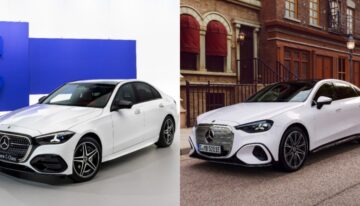
The Mercedes is parked outside the house, the shopping bags are by the front door, and the key fob has gone to work in somebody else’s coat. A spare would solve the problem. So would a phone that already has a Digital Vehicle Key for the car. For a household that shares one Mercedes, that changes who needs to be home when somebody wants to drive.
The electric CLA offers a useful example of how Mercedes puts the feature into practice. There’s the first pairing, the walk up to the driver’s door and the occasional handover to someone else. Each has a detail worth sorting out before the fob stays at home.
What the Car Recognises at the Door
With a compatible phone and passive entry enabled, the driver can approach the Mercedes with the phone still in a pocket. Another method uses a short-range reader. The driver holds the phone close to the reader at the door, then uses the designated spot inside the car when starting it.
That difference is easy to appreciate in the rain, with a bag in each hand. Passive entry saves the driver from reaching for the phone. A deliberate tap may suit someone who prefers a clear action at the door. The equipment fitted to the car and the device in the driver’s pocket determine which options are available.
Account settings can also determine when an online service asks someone to take action. A player comparing sites in an online casino Australia guide can look for a session reminder in the safer gambling settings. Where the tool offers a choice of intervals, the player selects one before starting. The reminder shows how long the session has lasted and may offer a way to end it. The prompt appears while the game is still open.
The First Pairing Happens in the Car
For an equipped electric CLA, the Mercedes-Benz owner’s manual gives owners three ways to start setup. They can use the Mercedes-Benz app, follow the Digital Extras email or open the Digital Vehicle Key menu in MBUX. The car must be switched on and able to detect an existing key. Once pairing is complete, the digital key appears in the phone’s wallet.
A first test is easier on the driveway than in a car park with somewhere else to be. Two checks cover the parts of a short trip that matter most.
- Open the door with the phone. Keep the fob far enough away that it cannot unlock the car during the test.
- Start, switch off and lock again. Going through the whole sequence shows whether the phone can handle both ends of the trip.
The second check catches a detail an open door can hide. A driver might know where to hold the phone outside and still need a moment to find the marked spot in the cabin. A quick look while the car is parked saves hunting for it later.
Lending the Car Without Meeting First
One driver takes the train to work. The other collects the Mercedes later for an appointment. A shared digital key can save them a trip across town to exchange a fob. It also makes it easier to change plans after the first driver has left home.
The useful test comes after the invitation arrives. Mercedes recommends that the recipient activate a shared key promptly by using it at the car. That gives both drivers time to sort out any setup questions before the recipient needs to leave on their own.
A handover also has a practical end point. A partner who drives every week may keep access. A friend who borrows the Mercedes for a weekend may only need it until Sunday. Once the car comes back, the owner can check who still has access and end sharing for the driver who no longer needs it.
The Days a Fob Still Earns Its Place
A low battery, a missing phone and an upgrade can all leave the driver looking for another way into the car. In Apple’s guide to car keys in Wallet, each situation has its own procedure. The difference matters when the same phone also holds the driver’s tickets and payment cards.
| What happens | What it means for the key |
| The iPhone needs charging | Some models can still use a Wallet car key through power reserve. |
| The iPhone goes missing | Marking it as lost disables the key on that device. Keys shared with other people stay active. |
| The owner upgrades the iPhone | Apple’s setup transfer requires the previous device to be nearby and connected to the internet. |
A phone upgrade is easier to deal with while the old handset is still on the kitchen table. The owner can move the key, try the new phone at the car and then wipe the old device. A lost phone calls for a different check. In a household with two drivers, the other person’s shared key may still get the car home.
The fob remains handy on trips where the phone is likely to spend hours on navigation, photos and calls. Around town, the biggest difference may be simpler. One person leaves the Mercedes at home, another takes it out later, and nobody has to remember which coat holds the key.